AI Enablement · Workflow Learning
AI in the Flow of Work
Turning AI awareness into practical, workflow-based learning.
- Project Type
- AI Workflow Enablement · Interactive Prototype
- My Role
- Learning Experience Design · Workflow Analysis · UX Design
- Development
- AI-Assisted Prototyping & Development
- AI Tools Featured
- Gemini · NotebookLM · Gemini Live
- Measurement
- Proposed evaluation and interaction telemetry
01The Challenge
From AI Awareness to Practical Application
Learning about AI tools is only the beginning. The greater challenge is helping professionals recognize where AI can support their daily responsibilities and understand how to apply it effectively.
AI training often focuses on individual features or isolated demonstrations. But workplace performance depends on completing connected tasks, making informed decisions, and applying information in context.
For this independent design exploration, I considered how a learning experience could bridge the gap between knowing what an AI tool can do and using it within a realistic business workflow.
02The Design Opportunity
What if AI learning started with the work itself?
“How might we help busy professionals use AI across connected tasks, while maintaining accuracy, judgment, and control?”
Rather than introducing AI tools separately, I designed a short, realistic workplace scenario that demonstrates when to use each tool, how to use it, and how one task supports the next.
03The Solution
Three Tasks. One Important Meeting.
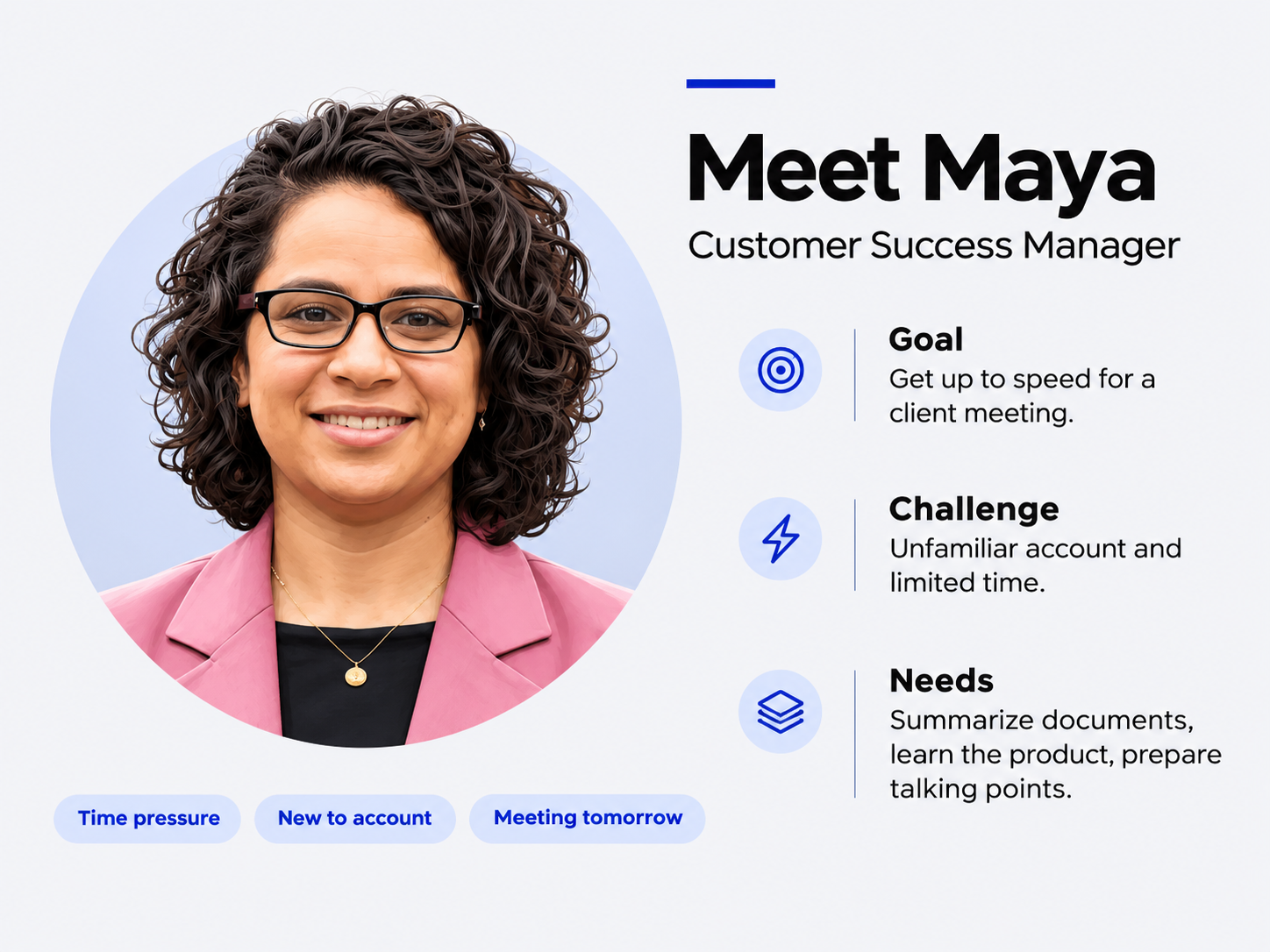
Meet Maya, a Customer Success Manager who unexpectedly needs to cover an important client meeting.
With only a day and a half to understand an unfamiliar account, review customer requirements, study the product, and prepare for the conversation, she needs a practical approach to getting up to speed.
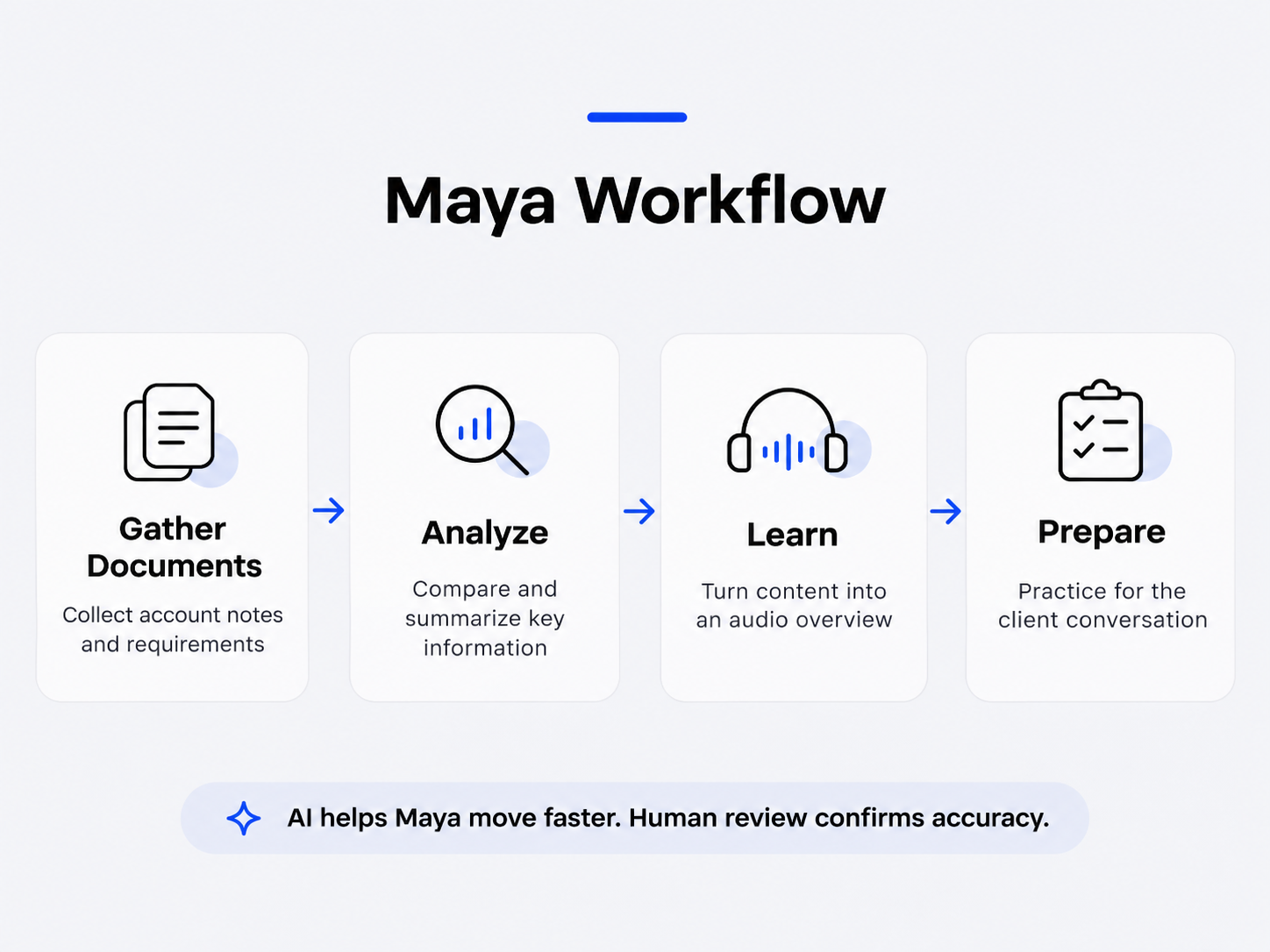
The experience follows Maya through three connected AI-assisted tasks.
01 · Analyze
Gemini
Summarize account information, compare customer requirements with product capabilities, and verify findings.
02 · Learn
NotebookLM
Turn relevant, approved source information into a focused audio briefing.
03 · Prepare
Gemini Live
Rehearse realistic customer questions and refine meeting preparation.
The learner follows Maya's workflow and can adapt the example prompts to their own professional context.
04Key Design Decisions
Designing for Application, Not Just Awareness
- 01
Start with a realistic workplace challenge
The scenario creates an immediate reason to use AI. Each tool is introduced through a task Maya needs to accomplish, rather than as a standalone feature.
- 02
Connect the learning to the workflow
Each task produces an output that supports the next. Verified account insights inform product learning, which then supports conversation preparation.
- 03
Provide actionable guidance
Short, numbered instructions and reusable prompts help employees understand how to perform the task. Optional audio introductions and video walkthrough areas support different ways of engaging with the content.
- 04
Keep human judgment central
Employees are reminded to use approved AI tools, protect information, verify important claims against original sources, and remain accountable for business decisions.
05Productivity Opportunity
Connecting Learning to Business Value
The experience ends with a simple reflection: How much preparation time could Maya potentially save by using AI?
An illustrative comparison models traditional preparation against an AI-assisted approach. The purpose is to encourage employees to consider productivity opportunities without suggesting that AI replaces professional judgment.
- Potential time saved
- 3 hours 15 minutes
- Estimated preparation-time reduction
- ≈ 54%
06Proposed Evaluation Strategy
How Would We Know It's Working?
The prototype demonstrates a learning approach. A real implementation would require evidence of employee adoption and performance improvement.
Engagement
- Workflow sections explored
- Instructional steps opened
- Prompts copied
- Optional walkthroughs viewed
Adoption
- Learner intention to use the workflow
- Follow-up feedback on actual use
- Common barriers or support needs
Performance
- Preparation time compared with an appropriate baseline
- Accuracy and completeness of work outputs
- Confidence and readiness, supported by task-based evidence
Interaction events could be instrumented using xAPI or similar analytics. These measurements are proposed and have not yet been implemented or validated in a live deployment.
Explore the Interactive Prototype
Follow Maya's workflow, explore the step-by-step AI guidance, and see how three connected tasks can become a practical learning experience.
Independent portfolio concept. All customer, account, and product information is fictional.